Underwater camera
The underwater-camera plugin applies distance-dependent color attenuation to rendered RGB data using depth information. Tune the attenuation and background color to the experiment's intended water appearance.
Run the example
ros2 launch posim_demos posim_sensor.launch.py \
  namespace:=underwater_camera world_name:=camera_tutorial \
  x:=10 z:=-93.5 pitch:=0.3 yaw:=3.14 \
  paused:=false gui:=false headless:=true
In a second sourced terminal:
ros2 topic echo /underwater_camera/simulated_image \
  sensor_msgs/msg/Image --once --no-arr
ros2 topic hz /underwater_camera/simulated_image
Use an RViz Image display to inspect the resulting image. A working renderer is needed even when no GUI is shown.
Configure the plugin
The model uses an RGBD sensor and the plugin UnderwaterCamera, class posim_gz_sensor_plugins::UnderwaterCamera. Keep its sensor/data topics consistent with the model configuration.
| SDF parameter | Meaning | Code default |
|---|---|---|
attenuationR |
Red-channel attenuation per meter | 1/30 |
attenuationG |
Green-channel attenuation per meter | 1/30 |
attenuationB |
Blue-channel attenuation per meter | 1/30 |
backgroundR |
Red background channel | 0 |
backgroundG |
Green background channel | 0 |
backgroundB |
Blue background channel | 0 |
The example model uses these values. SDF settings override code defaults.
- RGB attenuation: 0.8, 0.5, 0.2
- RGB background: 85, 107, 47
- Image size: 320 × 240
- Requested rate: 10 Hz
Tune and compare
Place a recognizable object at known distances. Keep pose, lighting, scene materials and camera settings fixed while changing one attenuation channel. Verify image timestamps and received rate in addition to the visual result.
Camera-specific attenuation changes the sensor image, not the entire Gazebo desktop view. To change the world view, adjust world lighting/materials separately. Source implementation and the complete camera descriptor define the input wiring and output names.
Configure RGBD sensing and water appearance
The RGBD sensor supplies color and depth images. The plugin uses depth-derived range, per-channel attenuation and background values to produce underwater imagery. Attenuation follows a per-channel exponential model; background channels range from 0 to 255.
For an unattenuated comparison, explicitly set attenuationR, attenuationG, attenuationB and all three background values to zero. For murky coastal water, use the example values 0.8/0.5/0.2 and 85/107/47 above. Omitting tags uses the code defaults.
<sensor name="underwater_camera" type="rgbd_camera">
  <update_rate>10</update_rate>
  <topic>underwater_camera</topic>
  <camera>
    <horizontal_fov>1.05</horizontal_fov>
    <image><width>320</width><height>240</height></image>
    <clip><near>0.1</near><far>10.0</far></clip>
  </camera>
  <plugin filename="UnderwaterCamera"
          name="posim_gz_sensor_plugins::UnderwaterCamera">
    <attenuationR>0.8</attenuationR>
    <attenuationG>0.5</attenuationG>
    <attenuationB>0.2</attenuationB>
    <backgroundR>85</backgroundR>
    <backgroundG>107</backgroundG>
    <backgroundB>47</backgroundB>
  </plugin>
</sensor>
Underwater absorption and scattering affect color, contrast and visibility. This sensor implements distance-dependent RGB attenuation and background blending. For separate studies of lighting or particle scattering, prepare scene and sensor models implementing those effects.
Compare underwater images
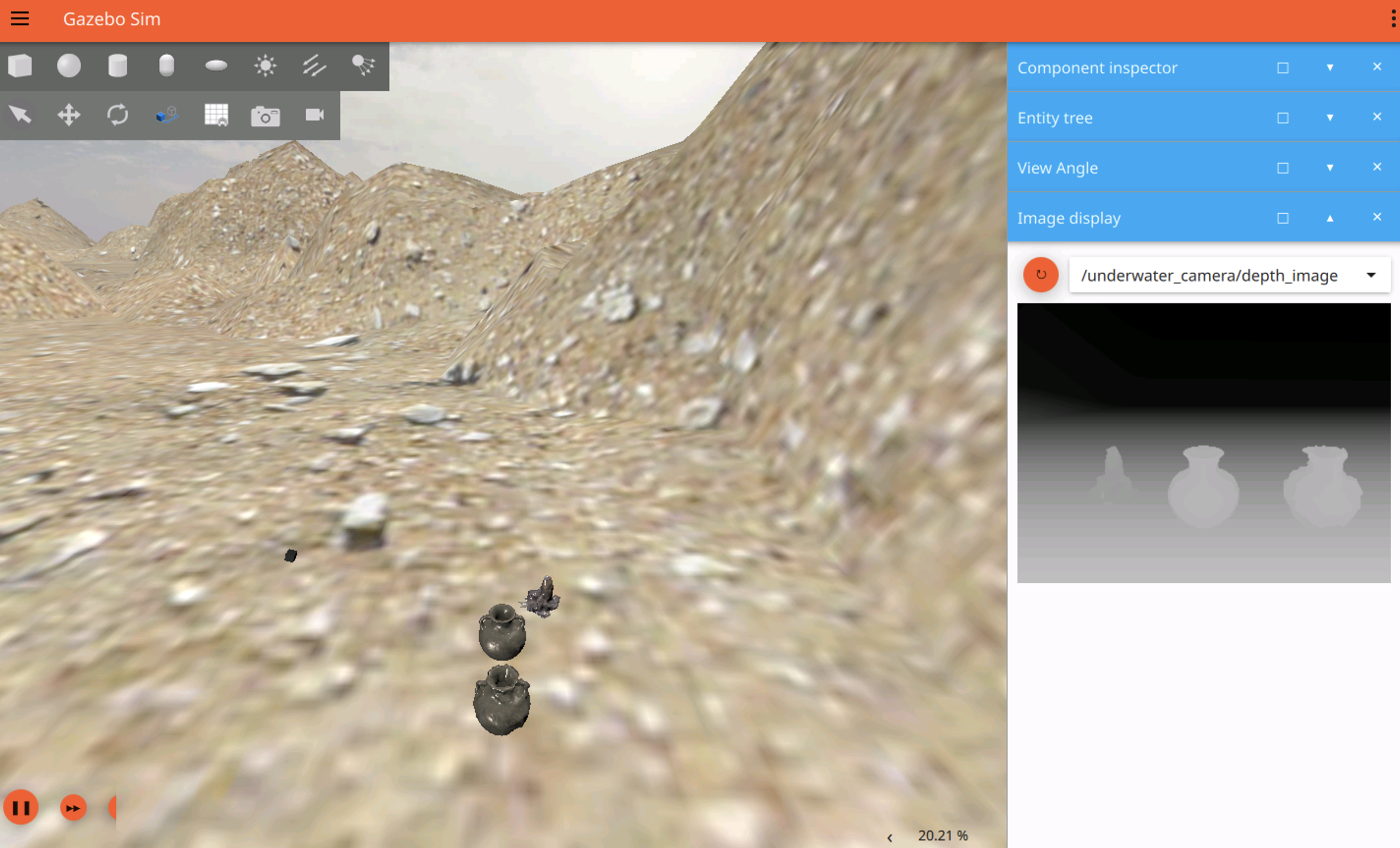

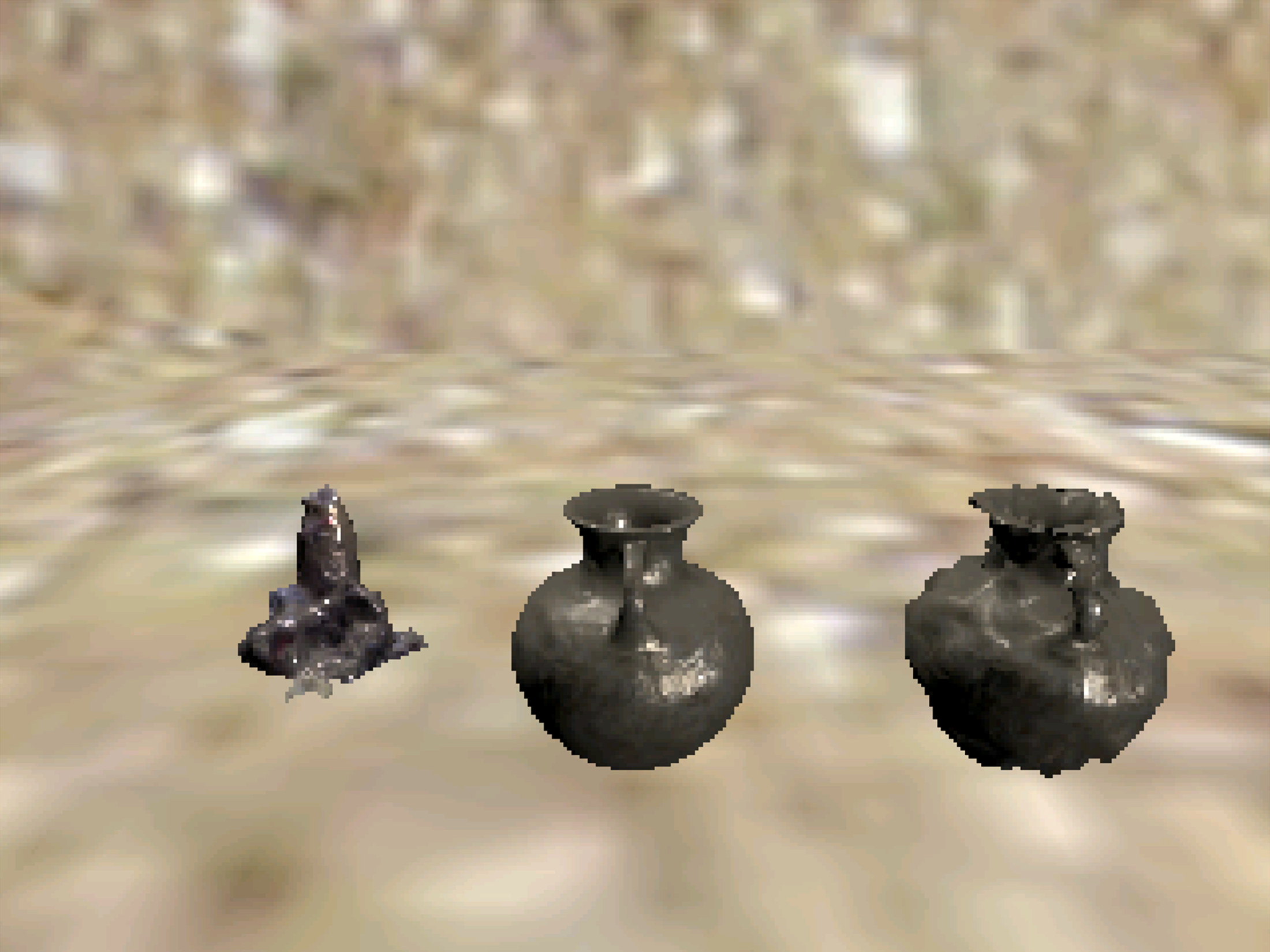
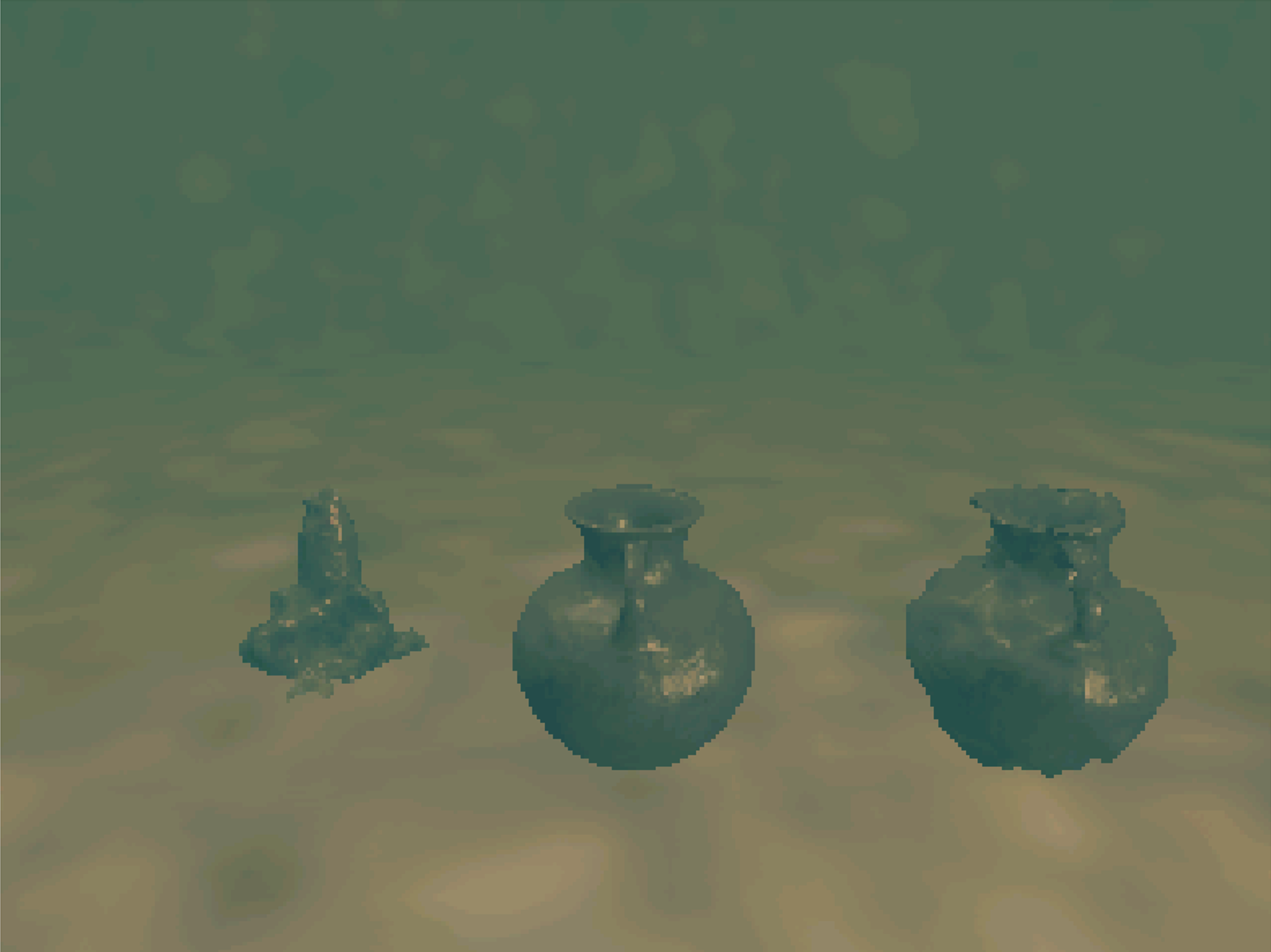
Figures and videos: POSIM Notion Wiki. See Citation and licenses for DAVE documentation attribution. Use this page's code blocks for execution commands and topic names.