Ocean currents
POSIM separates world-current generation, vehicle-local current processing and ROS interaction. Uniform and depth-stratified flows use different topics and configuration blocks.
Run the example
ros2 launch posim_demos posim_robot.launch.py \
  namespace:=rexrov world_name:=ocean_current_plugin z:=-5 paused:=false \
  gui:=false headless:=true use_teleop:=false use_web_joystick:=false
Inspect both transports from a second terminal:
gz topic -e -t /ocean_current
ros2 topic echo /hydrodynamics/currentVelocityTopic --once
Stop each viewer before running the next command.
Systems and topics
| Component | Responsibility |
|---|---|
posim_gz_world_plugins::OceanCurrentWorldPlugin |
Generate world flow and depth-layer data |
| Model current plugin | Interpolate/apply the configured current at a model |
posim_ros_gz_plugins::OceanCurrentPlugin |
Publish ROS observations and offer configuration services |
| Example topic | Transport / type |
|---|---|
/ocean_current |
Gazebo gz.msgs.Vector3d |
/hydrodynamics/stratified_current_velocity |
Gazebo layer data |
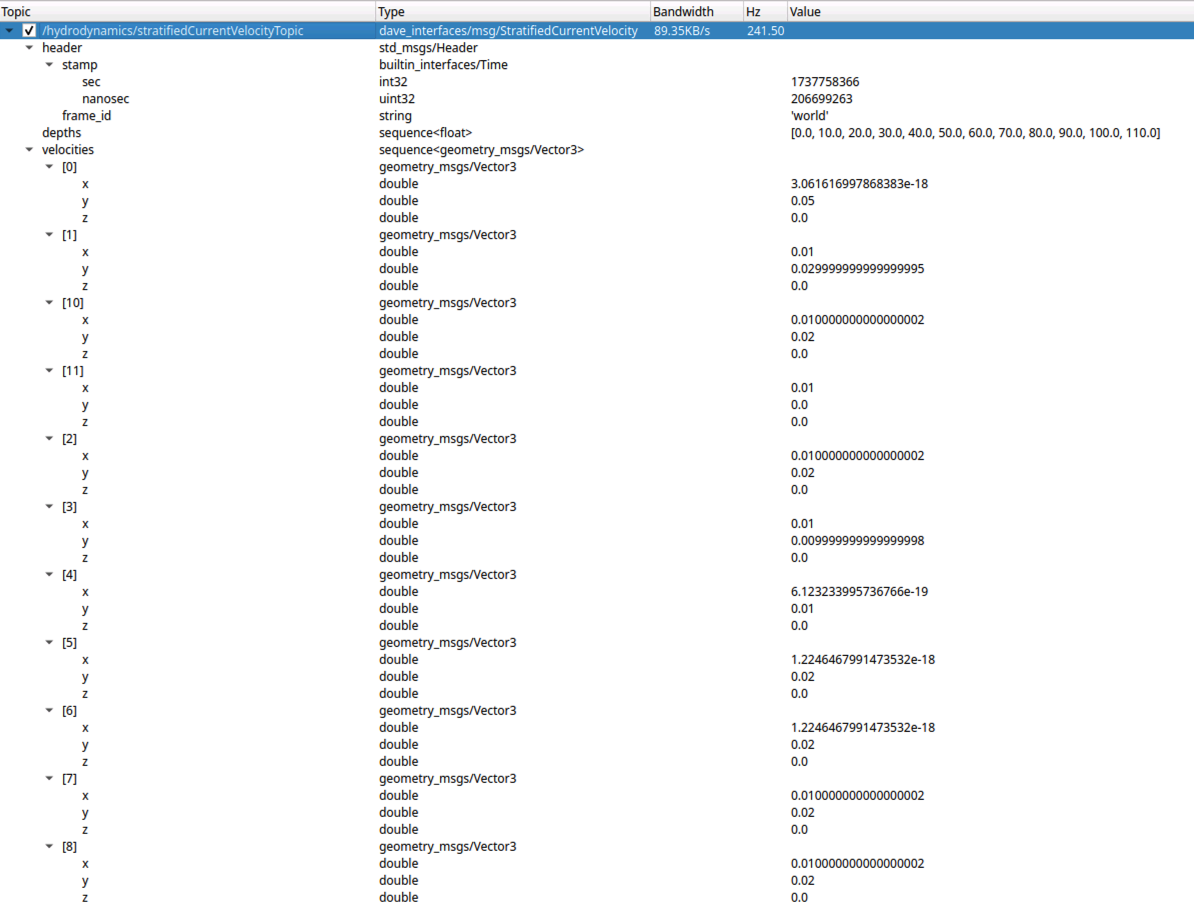
/hydrodynamics/stratifiedCurrentVelocityTopic |
ROS posim_interfaces/msg/StratifiedCurrentVelocity |
/hydrodynamics/currentVelocityTopic |
ROS geometry_msgs/msg/TwistStamped |
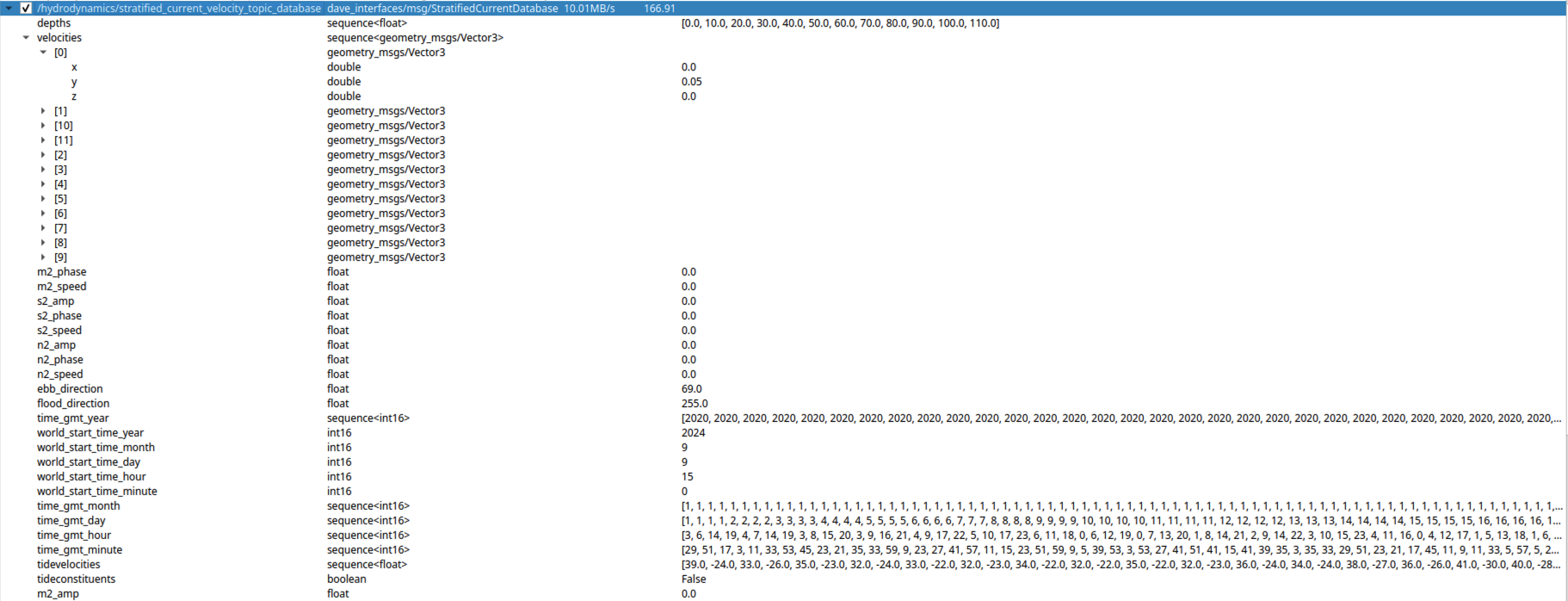
/hydrodynamics/stratified_current_velocity_topic_database |
ROS posim_interfaces/msg/StratifiedCurrentDatabase |
Read the world's SDF for the configured namespaces and topic names. Keep vehicle hydrodynamics connected to the same intended flow source.
Configure a velocity
List service names and types before calling them:
ros2 service list -t
ros2 service call /hydrodynamics/set_current_velocity posim_interfaces/srv/SetCurrentVelocity \
  '{velocity: 0.3, horizontal_angle: 0.0, vertical_angle: 0.0}'
Velocity is in m/s and the two angles are in radians. The example requests a horizontal flow along the zero-angle direction; check the returned success flag and subsequent current payloads.
Model services use GetCurrentModel and SetCurrentModel for velocity, horizontal angle and vertical angle. Parameters include mean, lower/upper bounds, noise amplitude and mu. Depth-specific services use the stratified interface types. Inspect them with ros2 interface show before setting a layer.
Depth variation and tidal inputs
The world plugin loads a configured depth database and uses stochastic current models. The optional tidal configuration uses a database or supplied harmonic constituents with a configured start time and ebb/flood direction. These are experiment inputs, rather than live current observations.
Preserve the database units, interpolation range, world origin and time reference when changing a profile. Compare received current and vehicle response with the same initial pose before interpreting a navigation result.
Configure uniform and stratified currents
Set <constant_current> and <transient_current> in the OceanCurrentWorldPlugin of the example world SDF. Uniform flow uses separate stochastic models for speed and horizontal/vertical angles.
| Model parameter | Meaning |
|---|---|
mean |
Mean speed (m/s) or angle (rad) |
min, max |
Lower and upper bounds |
noiseAmp |
Stochastic variation amplitude |
mu |
Gauss–Markov model coefficient |
<constant_current>
  <use_constant_current>true</use_constant_current>
  <topic>ocean_current</topic>
  <velocity><mean>0.3</mean><min>0</min><max>0.6</max><mu>0</mu><noiseAmp>0</noiseAmp></velocity>
  <horizontal_angle><mean>0</mean><min>-3.14</min><max>3.14</max><mu>0</mu><noiseAmp>0</noiseAmp></horizontal_angle>
  <vertical_angle><mean>0</mean><min>-1.57</min><max>1.57</max><mu>0</mu><noiseAmp>0</noiseAmp></vertical_angle>
</constant_current>
<transient_current>
  <topic_stratified>stratified_current_velocity</topic_stratified>
  <databasefileName>transientOceanCurrentDatabase.csv</databasefileName>
</transient_current>
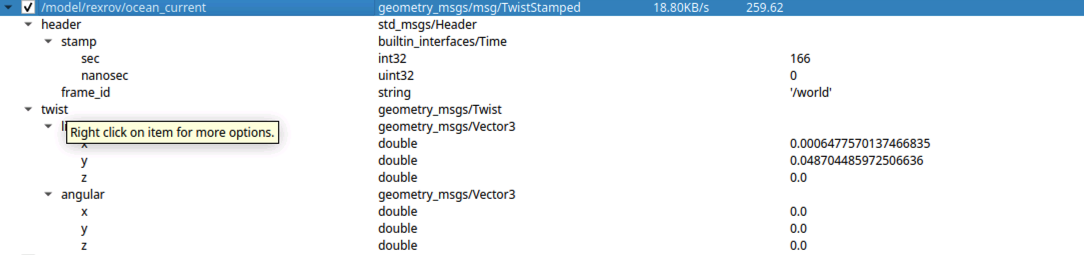
The stratified-current CSV contains northward speed (m/s), eastward speed (m/s) and depth (m), in that order. Preserve its description/header rows when editing layers. The world ROS plugin relays the full database; the model-current plugin computes flow at vehicle depth. Match the model <namespace> to the hydrodynamics subscription /model/<namespace>/ocean_current. Flow relative to vehicle velocity affects its hydrodynamic response.
Adjust currents with ROS services
The example ROS namespace is /hydrodynamics. Inspect actual names with ros2 service list -t before calling them.
ros2 service call /hydrodynamics/get_current_velocity_model \
  posim_interfaces/srv/GetCurrentModel '{}'
ros2 service call /hydrodynamics/set_current_velocity_model \
  posim_interfaces/srv/SetCurrentModel \
  '{mean: 0.3, min: 0.0, max: 0.6, noise: 0.0, mu: 0.0}'
ros2 service call /hydrodynamics/set_stratified_current_velocity \
  posim_interfaces/srv/SetStratifiedCurrentVelocity \
  '{layer: 0, velocity: 0.2, horizontal_angle: 0.0, vertical_angle: 0.0}'
| Service | Interface | Input |
|---|---|---|
get_current_velocity_model, get_current_horz_angle_model, get_current_vert_angle_model |
GetCurrentModel |
Empty request |
set_current_velocity_model, set_current_horz_angle_model, set_current_vert_angle_model |
SetCurrentModel |
mean, min, max, noise, mu |
set_current_velocity |
SetCurrentVelocity |
velocity, horizontal_angle, vertical_angle |
set_current_horz_angle, set_current_vert_angle |
SetCurrentDirection |
angle |
set_stratified_current_velocity |
SetStratifiedCurrentVelocity |
layer, velocity, horizontal_angle, vertical_angle |
set_stratified_current_horz_angle, set_stratified_current_vert_angle |
SetStratifiedCurrentDirection |
layer, angle |
Speed is in m/s, angles in rad and layer is a zero-based database index. Check both success and observed topics. The ROS service field corresponding to SDF noiseAmp is noise.
For tides, configure <tidal_oscillation> with CSV input or harmonic constituents such as M2/S2/N2, ebb/flood directions and a GMT start time. Example harmonic units are amplitude in m, phase in degrees and angular speed in degrees/hour. Distinguish tidal direction settings from the radian angles used by current services.
Current flow and model response
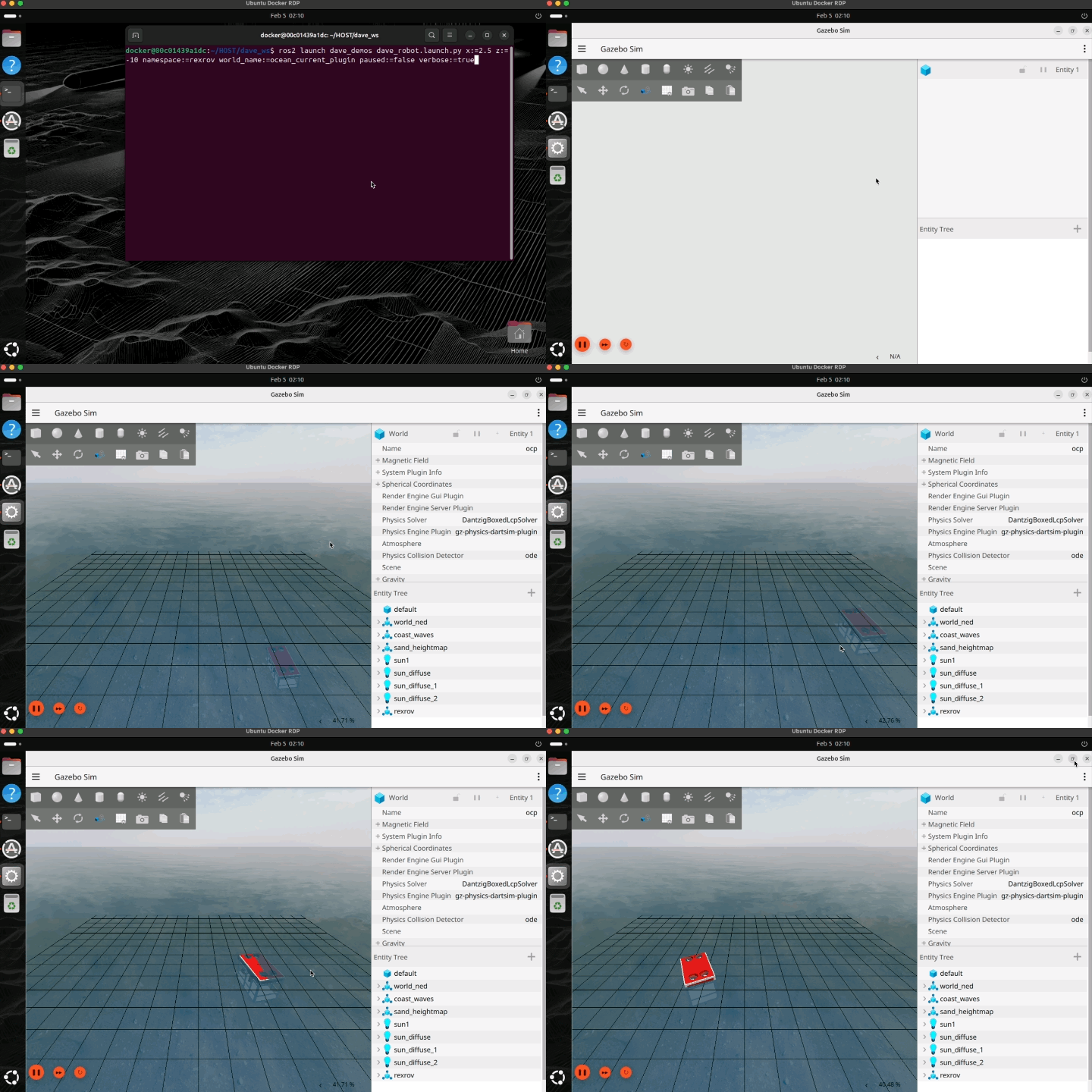
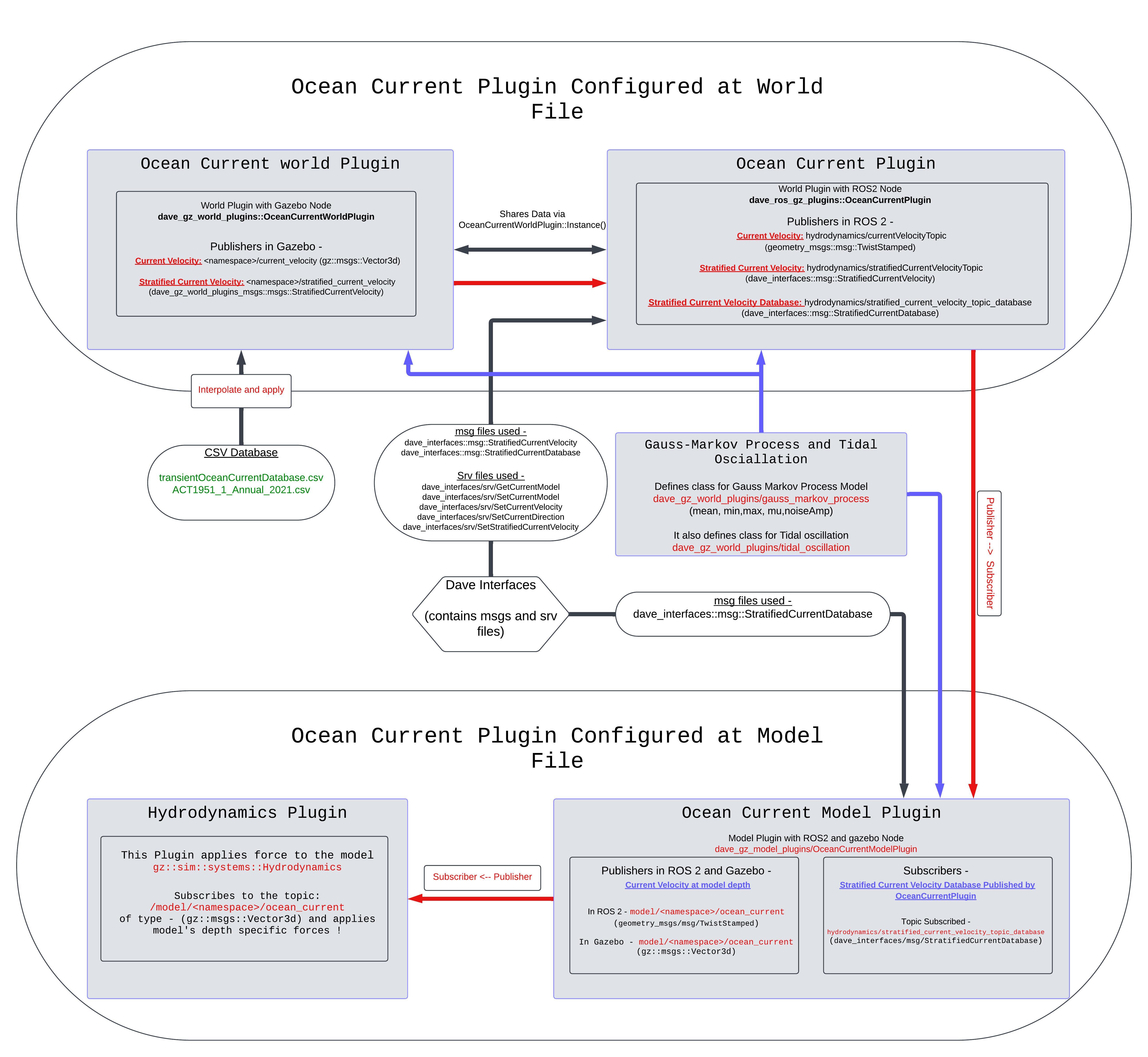
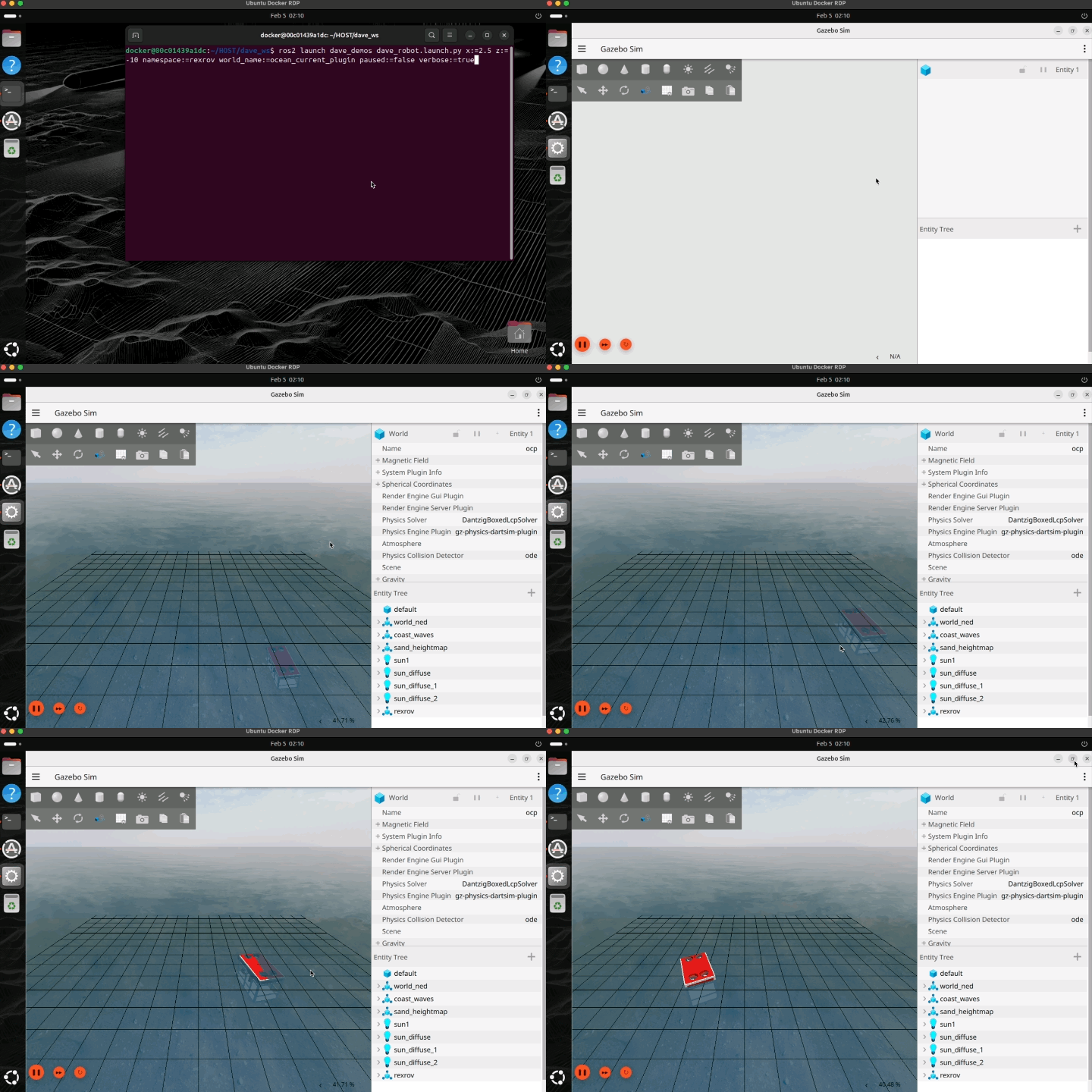
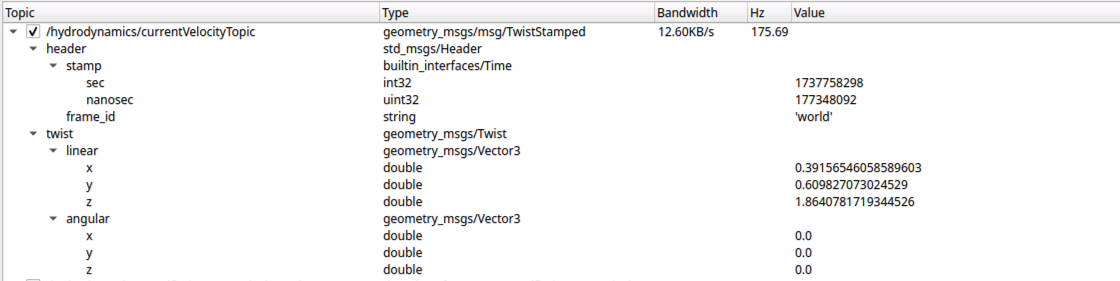


Figures and videos: POSIM Notion Wiki. See Citation and licenses for DAVE documentation attribution. Use this page's code blocks for execution commands and topic names.