해류
POSIM은 월드 해류 생성, 로봇 위치의 해류 처리와 ROS 인터페이스를 나누어 구성합니다. 균일한 흐름과 깊이에 따라 달라지는 흐름은 토픽·설정 블록이 다릅니다.
예제 실행
ros2 launch posim_demos posim_robot.launch.py \
  namespace:=rexrov world_name:=ocean_current_plugin z:=-5 paused:=false \
  gui:=false headless:=true use_teleop:=false use_web_joystick:=false
두 번째 터미널에서 각 통신 체계를 확인합니다.
gz topic -e -t /ocean_current
ros2 topic echo /hydrodynamics/currentVelocityTopic --once
첫 확인 도구를 종료한 뒤 다음 명령을 실행합니다.
시스템과 토픽
| 구성 요소 | 역할 |
|---|---|
posim_gz_world_plugins::OceanCurrentWorldPlugin |
월드 흐름과 깊이별 데이터 생성 |
| 모델 해류 플러그인 | 로봇 위치의 설정된 해류를 보간·적용 |
posim_ros_gz_plugins::OceanCurrentPlugin |
ROS 관측값 발행과 설정 서비스 |
| 예제 토픽 | 통신·자료형 |
|---|---|
/ocean_current |
Gazebo gz.msgs.Vector3d |
/hydrodynamics/stratified_current_velocity |
Gazebo 깊이별 데이터 |
/hydrodynamics/stratifiedCurrentVelocityTopic |
ROS posim_interfaces/msg/StratifiedCurrentVelocity |
/hydrodynamics/currentVelocityTopic |
ROS geometry_msgs/msg/TwistStamped |
/hydrodynamics/stratified_current_velocity_topic_database |
ROS posim_interfaces/msg/StratifiedCurrentDatabase |
정확한 namespace와 토픽 이름은 월드 SDF를 확인합니다. 로봇의 유체역학도 사용하려는 해류 입력에 맞춰 연결하세요.
속도 설정
서비스 이름과 자료형을 확인한 뒤 호출합니다.
ros2 service list -t
ros2 service call /hydrodynamics/set_current_velocity posim_interfaces/srv/SetCurrentVelocity \
  '{velocity: 0.3, horizontal_angle: 0.0, vertical_angle: 0.0}'
속도는 m/s, 두 각도는 라디안입니다. 예제는 0각도 방향의 수평 흐름을 요청합니다. 반환된 성공 값과 이후 해류 데이터를 확인하세요.
속도·수평각·수직각 모델 서비스는 GetCurrentModel, SetCurrentModel을 사용합니다. 평균, 상·하한, 잡음 진폭과 mu를 설정합니다. 깊이별 서비스는 stratified 자료형을 사용합니다. 특정 층을 변경하기 전에 ros2 interface show로 필드를 확인하세요.
깊이 변화와 조류 입력
월드 플러그인은 설정한 깊이 데이터베이스를 읽고 확률적 해류 모델을 사용합니다. 선택형 조류 구성에는 데이터베이스 또는 조화 성분, 시작 시각과 창·낙조 방향을 지정합니다. 이들은 실험 입력이며 실시간 관측 자료는 아닙니다.
프로파일을 변경할 때는 데이터 단위, 보간 범위, 월드 기준 좌표와 시간 기준을 기록합니다. 같은 초기 자세에서 수신 해류와 로봇 반응을 비교한 뒤 항법 결과를 해석하세요.
일정·층상 해류 설정하기
예제 월드 SDF의 OceanCurrentWorldPlugin에 <constant_current>와 <transient_current>를 설정합니다. 일정 해류는 속도와 수평·수직 각도의 확률 모델을 각각 사용합니다.
| 모델 인수 | 의미 |
|---|---|
mean |
평균 속도(m/s) 또는 각도(rad) |
min, max |
값의 하한·상한 |
noiseAmp |
확률 변동의 크기 |
mu |
Gauss–Markov 모델 계수 |
<constant_current>
  <use_constant_current>true</use_constant_current>
  <topic>ocean_current</topic>
  <velocity><mean>0.3</mean><min>0</min><max>0.6</max><mu>0</mu><noiseAmp>0</noiseAmp></velocity>
  <horizontal_angle><mean>0</mean><min>-3.14</min><max>3.14</max><mu>0</mu><noiseAmp>0</noiseAmp></horizontal_angle>
  <vertical_angle><mean>0</mean><min>-1.57</min><max>1.57</max><mu>0</mu><noiseAmp>0</noiseAmp></vertical_angle>
</constant_current>
<transient_current>
  <topic_stratified>stratified_current_velocity</topic_stratified>
  <databasefileName>transientOceanCurrentDatabase.csv</databasefileName>
</transient_current>
층상 해류 CSV는 북쪽 속도(m/s), 동쪽 속도(m/s), 수심(m)의 순서입니다. 설명·헤더 행 형식을 유지하며 각 층의 값을 바꿉니다. 월드 ROS 플러그인은 전체 데이터베이스를 전달하고, 모델 해류 플러그인은 차량 수심에서 해류를 계산합니다. 모델의 <namespace>와 hydrodynamics가 구독하는 /model/<namespace>/ocean_current를 맞추세요. 차량 속도에 대한 상대 유속이 유체역학 응답에 영향을 줍니다.
ROS 서비스로 해류 조정하기
예제의 ROS namespace는 /hydrodynamics입니다. ros2 service list -t에서 실제 이름을 확인한 뒤 호출하세요.
ros2 service call /hydrodynamics/get_current_velocity_model \
  posim_interfaces/srv/GetCurrentModel '{}'
ros2 service call /hydrodynamics/set_current_velocity_model \
  posim_interfaces/srv/SetCurrentModel \
  '{mean: 0.3, min: 0.0, max: 0.6, noise: 0.0, mu: 0.0}'
ros2 service call /hydrodynamics/set_stratified_current_velocity \
  posim_interfaces/srv/SetStratifiedCurrentVelocity \
  '{layer: 0, velocity: 0.2, horizontal_angle: 0.0, vertical_angle: 0.0}'
| 서비스 | 인터페이스 | 입력 |
|---|---|---|
get_current_velocity_model, get_current_horz_angle_model, get_current_vert_angle_model |
GetCurrentModel |
빈 요청 |
set_current_velocity_model, set_current_horz_angle_model, set_current_vert_angle_model |
SetCurrentModel |
mean, min, max, noise, mu |
set_current_velocity |
SetCurrentVelocity |
velocity, horizontal_angle, vertical_angle |
set_current_horz_angle, set_current_vert_angle |
SetCurrentDirection |
angle |
set_stratified_current_velocity |
SetStratifiedCurrentVelocity |
layer, velocity, horizontal_angle, vertical_angle |
set_stratified_current_horz_angle, set_stratified_current_vert_angle |
SetStratifiedCurrentDirection |
layer, angle |
속도는 m/s, 각도는 rad이며 layer는 데이터베이스의 0부터 시작하는 층 인덱스입니다. 응답의 success와 관측 토픽을 함께 확인하세요. 해류 SDF의 noiseAmp에 대응하는 ROS 서비스 필드는 noise입니다.
조석을 사용할 때 <tidal_oscillation>에 CSV 입력 또는 M2·S2·N2 같은 조화 성분, ebb/flood 방향과 GMT 시작 시각을 설정합니다. 예제의 조화 성분 단위는 진폭 m, 위상 도, 각속도 도/시간입니다. 조석 방향 설정과 해류 서비스의 rad 단위를 구분하세요.
해류 흐름과 모델 응답 보기
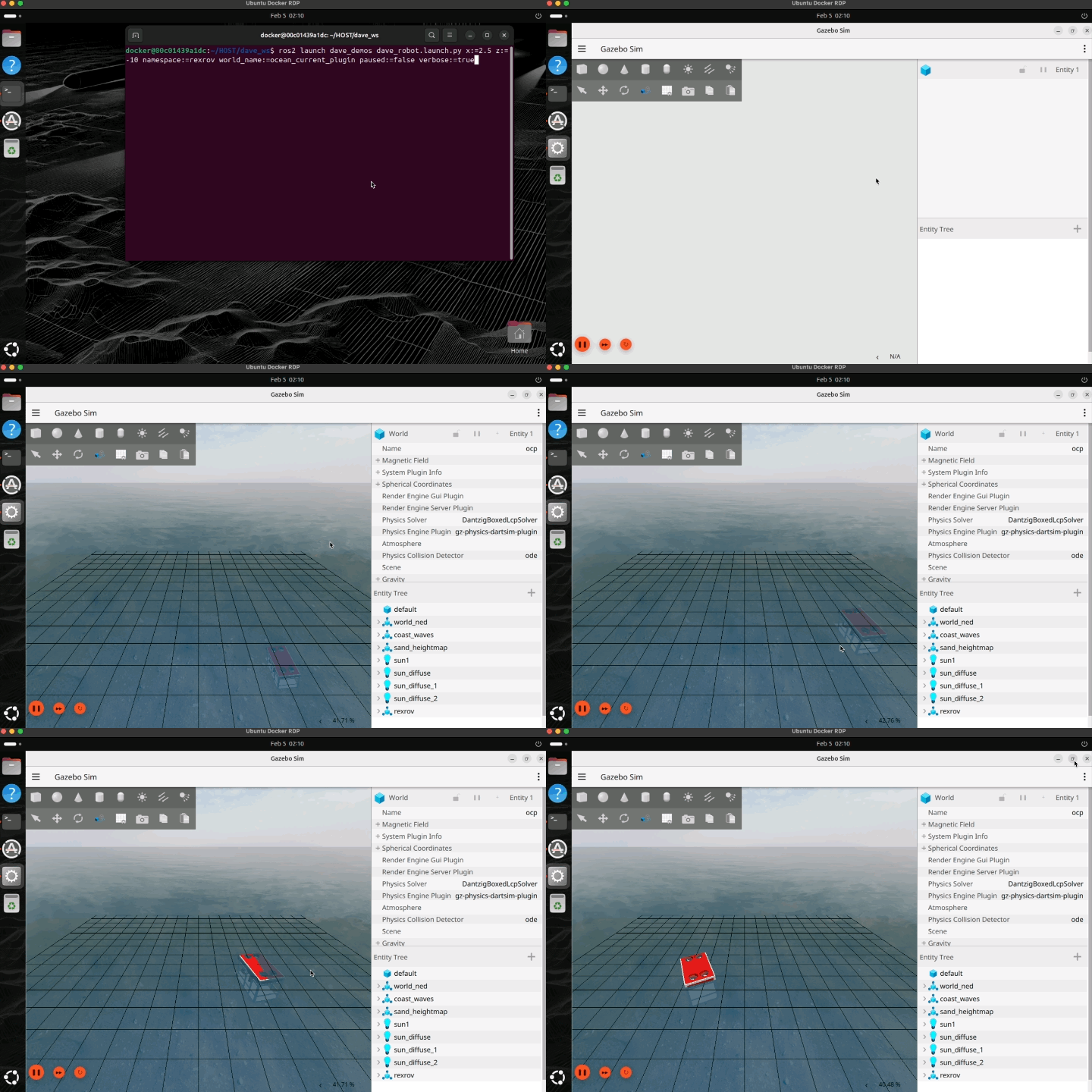
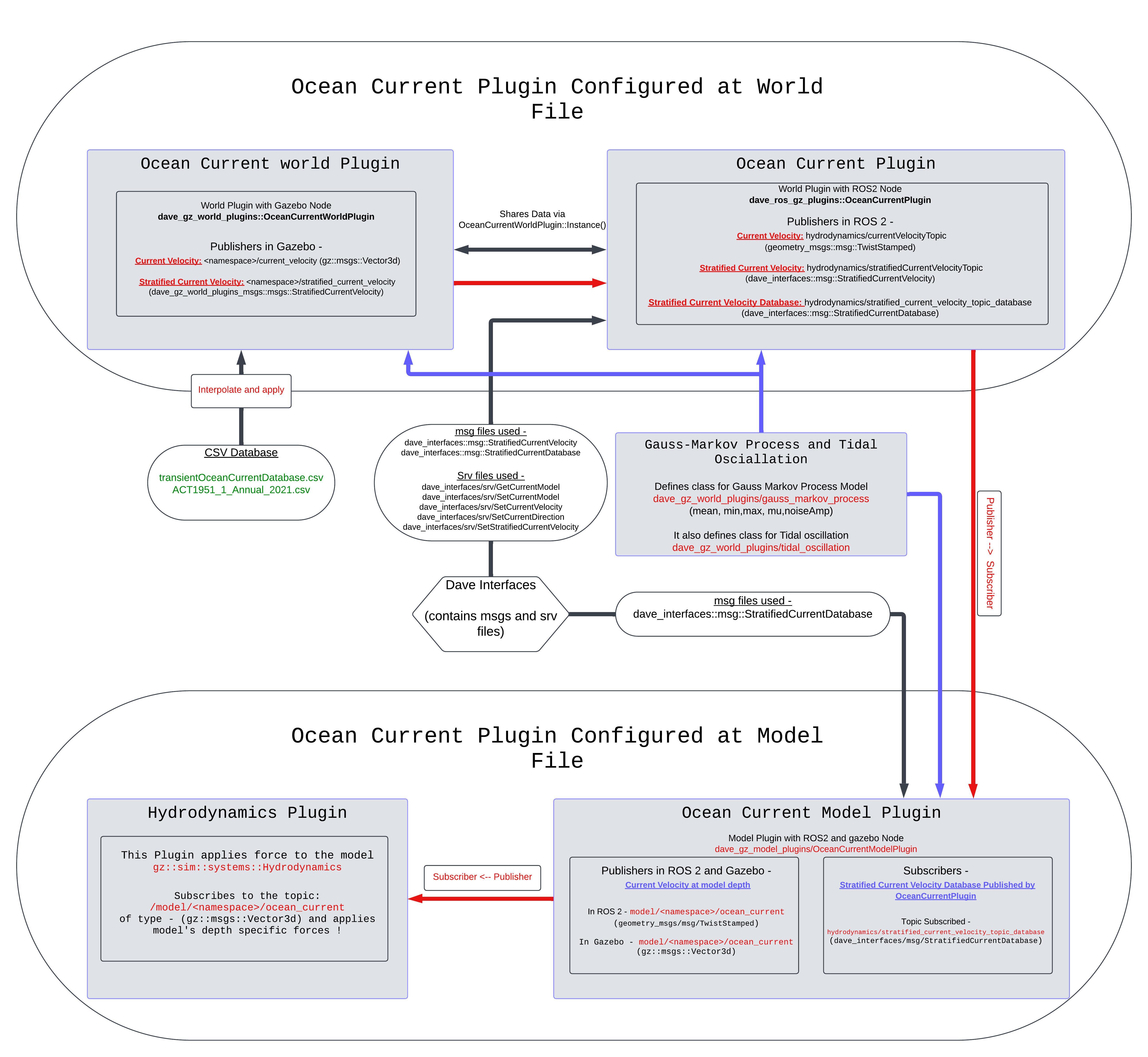
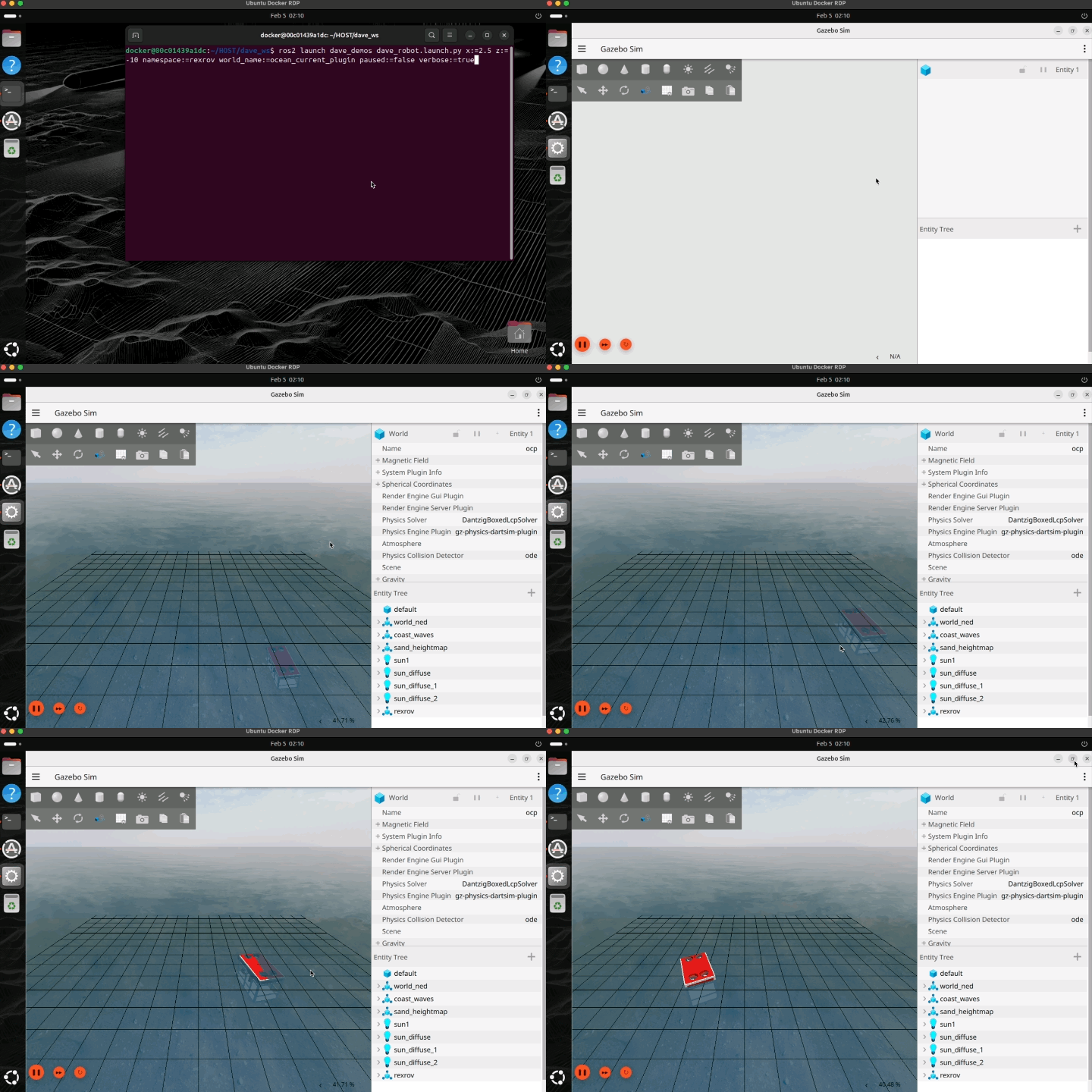
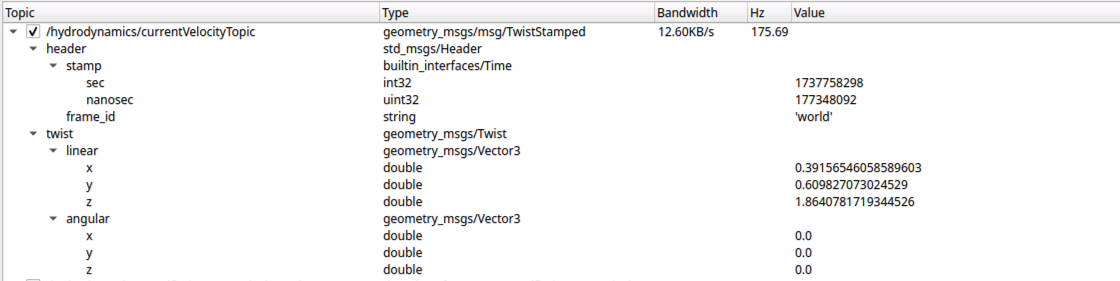
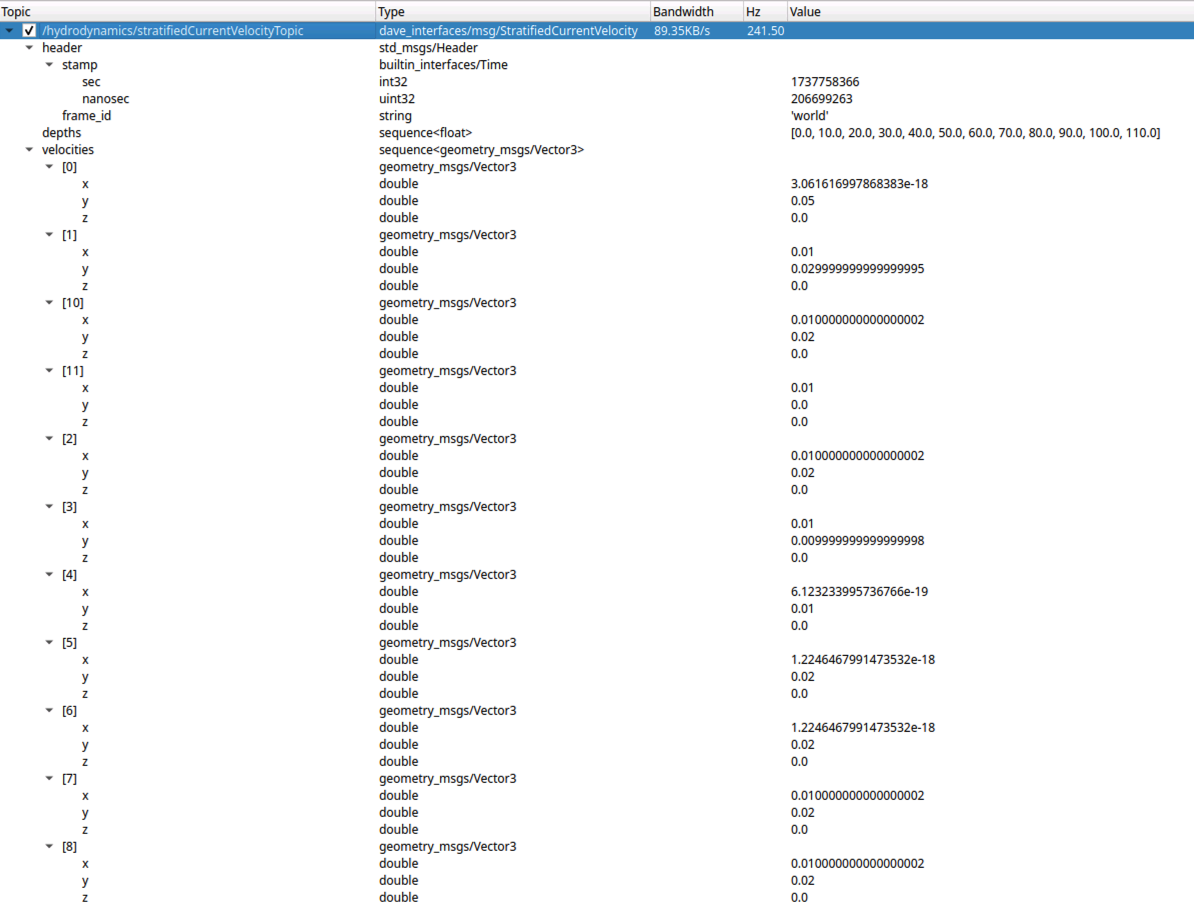
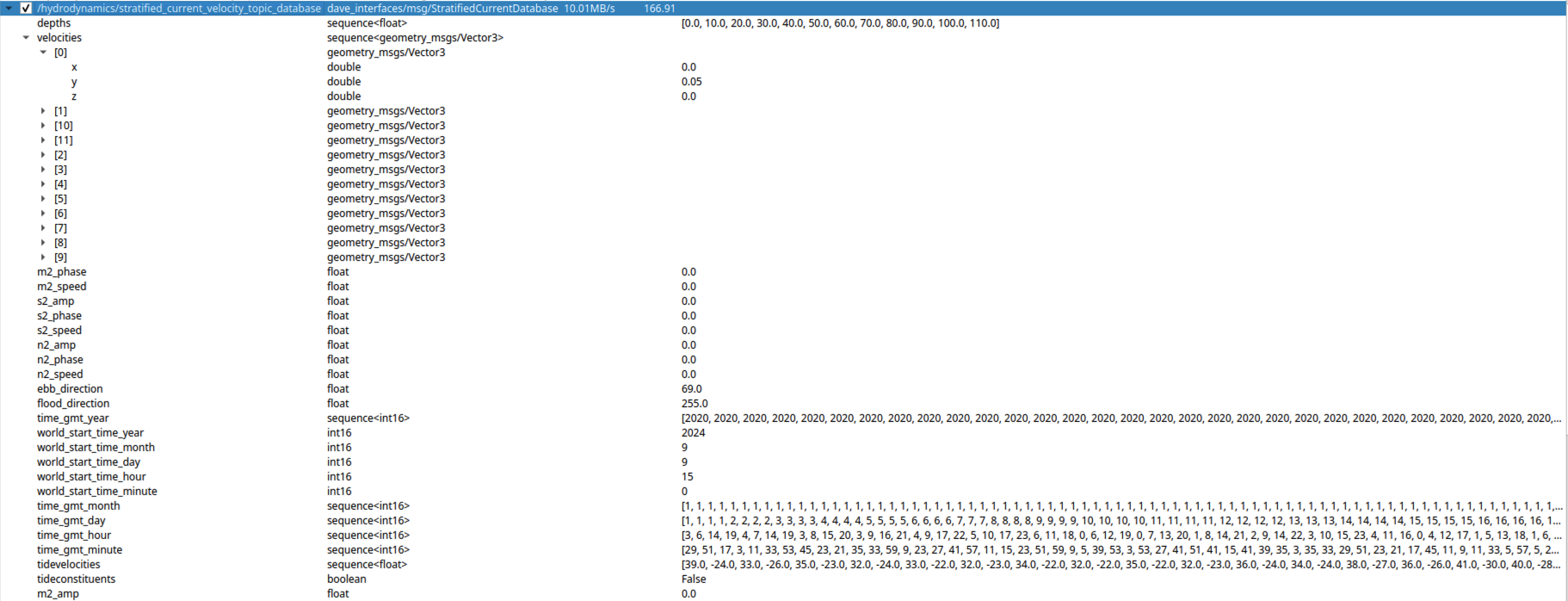
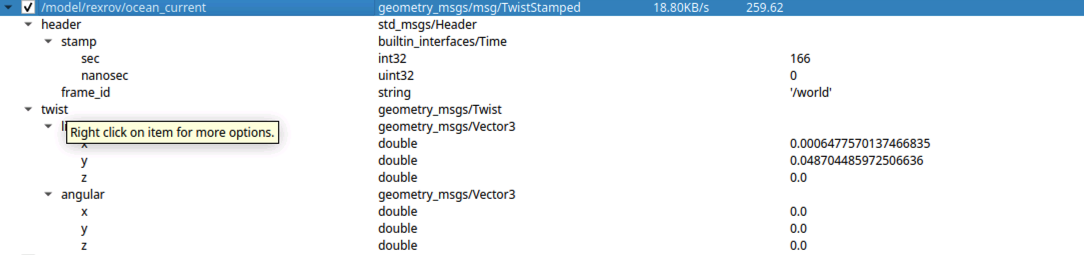


그림·영상 출처: POSIM Notion Wiki. DAVE 문서에서 이어받은 그림의 저자 표시는 인용과 라이선스를 참고하세요. 실행 명령과 토픽 이름은 이 페이지의 코드 블록을 기준으로 사용하세요.