
海流
POSIM 生成世界中的海流,计算每个机器人所在位置的流速,并提供 ROS 服务调整参数。空间均匀的海流与随深度变化的海流使用不同的话题和配置。
运行示例
在所选 POSIM 环境中准备终端 A 和 B,包括 Ubuntu 原生安装、WSL、Docker 或 macOS 远程桌面。在 A 中启动:
ros2 launch posim_demos posim_robot.launch.py \
  namespace:=rexrov world_name:=ocean_current_plugin z:=-5 paused:=false \
  gui:=true headless:=false use_teleop:=false use_web_joystick:=false
在 B 中依次查看 Gazebo 和 ROS 数据。先按 Ctrl+C 停止第一个查看命令,再运行第二个:
gz topic -e -t /ocean_current
ros2 topic echo /hydrodynamics/currentVelocityTopic --once
配置世界中的海流
将两个插件直接放在 <world> 下,海流插件在前,ROS 插件在后。完整配置见示例世界。
<plugin filename="OceanCurrentWorldPlugin"
        name="posim_gz_world_plugins::OceanCurrentWorldPlugin">
  <namespace>hydrodynamics</namespace>
  <constant_current>
    <use_constant_current>true</use_constant_current>
    <topic>ocean_current</topic>
    <velocity><mean>0.3</mean><min>0</min><max>0.6</max><mu>0</mu><noiseAmp>0</noiseAmp></velocity>
    <horizontal_angle><mean>0</mean><min>-3.14</min><max>3.14</max><mu>0</mu><noiseAmp>0</noiseAmp></horizontal_angle>
    <vertical_angle><mean>0</mean><min>-1.57</min><max>1.57</max><mu>0</mu><noiseAmp>0</noiseAmp></vertical_angle>
  </constant_current>
  <transient_current>
    <topic_stratified>stratified_current_velocity</topic_stratified>
    <databasefileName>transientOceanCurrentDatabase.csv</databasefileName>
  </transient_current>
</plugin>
<plugin filename="OceanCurrentPlugin" name="posim_ros_gz_plugins::OceanCurrentPlugin">
  <namespace>hydrodynamics</namespace>
</plugin>
两个插件应使用相同且非空的 namespace。constant_current 和 transient_current 两个块都需要保留;缺少必需配置时,会停止发布海流并报告错误。均匀海流的速率、水平角和垂直角分别使用独立的高斯–马尔可夫模型。
| 参数 | 含义与默认值 |
|---|---|
两个插件的 namespace |
共用命名空间;本例为 hydrodynamics |
constant_current/use_constant_current |
是否发布均匀海流;false |
constant_current/topic |
均匀海流的 Gazebo 话题;ocean_current |
transient_current/topic_stratified |
命名空间内的分层 Gazebo 话题;stratified_current_velocity |
transient_current/databasefileName |
已安装的 posim_worlds/worlds 中的 CSV;transientOceanCurrentDatabase.csv |
transient_current/databasefilePath |
可选的 CSV 路径,优先于文件名配置 |
各随机模型的 mean |
初始平均速率(m/s)或角度(rad);0 |
min, max |
下限与上限;−1 和 1。要求 min < max,均值在范围内 |
noiseAmp |
随机增量幅度;0 |
mu |
高斯–马尔可夫衰减系数;0 |
tidal_oscillation |
可选的潮流输入块 |
准备深度剖面
示例 CSV的三列依次为世界 X 轴速度(m/s)、世界 Y 轴速度(m/s)和深度(m)。沿用的键名 velocity_north、velocity_east 和 velocity_down 分别直接对应世界 X、Y、Z 轴。
- 保留前三行说明和表头。
- 至少提供两层,每个数据行恰好包含三个有限数值。
- 深度应非负且严格递增。
- 文件缺失或格式错误会关闭海流发布。
世界中的 ROS 插件转发完整数据库。模型插件根据机器人的深度进行插值;水动力响应取决于海流相对于机器人运动的速度。
将深度剖面应用于机器人
REXROV 示例默认使用均匀海流 /ocean_current。使用深度剖面时,在 REXROV 模型中启用以下已注释的块,放在 <model> 直属位置,并避免重复添加:
<plugin filename="OceanCurrentModelPlugin"
        name="posim_gz_model_plugins::OceanCurrentModelPlugin">
  <namespace>rexrov</namespace>
  <flow_velocity_topic>ocean_current</flow_velocity_topic>
  <transient_current>
    <topic_stratified>/hydrodynamics/stratified_current_velocity_topic_database</topic_stratified>
    <velocity_north><mean>0</mean><mu>0</mu><noiseAmp>0</noiseAmp><noiseFreq>0</noiseFreq></velocity_north>
    <velocity_east><mean>0</mean><mu>0</mu><noiseAmp>0</noiseAmp><noiseFreq>0</noiseFreq></velocity_east>
    <velocity_down><mean>0</mean><mu>0</mu><noiseAmp>0</noiseAmp><noiseFreq>0</noiseFreq></velocity_down>
  </transient_current>
  <tide_oscillation>false</tide_oscillation>
</plugin>
同时在现有 gz-sim-hydrodynamics-system 插件中加入 <namespace>rexrov</namespace>,保留其连杆、流体密度和阻力系数。重新编译工作空间并加载环境。
| 模型参数 | 含义与默认值 |
|---|---|
namespace |
必需;与水动力插件的命名空间一致,本例为 rexrov |
flow_velocity_topic |
/model/<namespace>/ 下的话题后缀;ocean_current |
transient_current/topic_stratified |
数据库的 ROS 输入;hydrodynamics/stratified_current_velocity_topic_database |
velocity_north, velocity_east, velocity_down |
各分量可选的随机配置;省略的分量不添加噪声 |
各分量的 mean |
初始速度,m/s;0。收到数据后由插值结果替代 |
mu |
0–1 的衰减系数,按已流逝的仿真秒数计算;默认 0 |
noiseAmp |
相对插值速度允许的偏差,m/s;0 |
noiseFreq |
每次更新的随机增量幅度;0。不是以 Hz 表示的频率 |
tide_oscillation |
是否在模型上应用所提供的潮流数据;false |
结果通过 /model/rexrov/ocean_current 发布:Gazebo 类型为 gz.msgs.Vector3d,ROS 类型为 geometry_msgs/msg/TwistStamped。请同时检查输出和机器人响应。
深度由模型的世界坐标计算,位于水面以上时取零。层间使用插值,超出范围时取最近一层的值。暂停或重复的仿真时间戳不会推进流速计算。无效的数据库消息会被整体拒绝,并保留最后一个有效剖面。
系统与话题
| 系统 | 职责 |
|---|---|
posim_gz_world_plugins::OceanCurrentWorldPlugin |
生成世界海流和深度分层数据 |
| 模型海流插件 | 在机器人位置对流速进行插值 |
posim_ros_gz_plugins::OceanCurrentPlugin |
发布 ROS 数据并提供配置服务 |
| 示例话题 | 通信系统与类型 |
|---|---|
/ocean_current |
Gazebo,gz.msgs.Vector3d |
/hydrodynamics/stratified_current_velocity |
Gazebo,分层数据 |
/hydrodynamics/stratifiedCurrentVelocityTopic |
ROS,posim_interfaces/msg/StratifiedCurrentVelocity |
/hydrodynamics/currentVelocityTopic |
ROS,geometry_msgs/msg/TwistStamped |
/hydrodynamics/stratified_current_velocity_topic_database |
ROS,posim_interfaces/msg/StratifiedCurrentDatabase |
检查 SDF 中的名称,确保水动力插件连接到预期的海流来源。
使用 ROS 服务调整海流
在 B 中列出服务,并设置 0.3 m/s 的水平海流:
ros2 service list -t
ros2 service call /hydrodynamics/set_current_velocity posim_interfaces/srv/SetCurrentVelocity \
  '{velocity: 0.3, horizontal_angle: 0.0, vertical_angle: 0.0}'
速率单位为 m/s,角度单位为弧度。检查响应中的 success 和后续发布值。查看分层设置接口:
ros2 interface show posim_interfaces/srv/SetStratifiedCurrentVelocity
下面依次读取模型、修改范围,并设置第一层:
ros2 service call /hydrodynamics/get_current_velocity_model \
  posim_interfaces/srv/GetCurrentModel '{}'
ros2 service call /hydrodynamics/set_current_velocity_model \
  posim_interfaces/srv/SetCurrentModel \
  '{mean: 0.3, min: 0.0, max: 0.6, noise: 0.0, mu: 0.0}'
ros2 service call /hydrodynamics/set_stratified_current_velocity \
  posim_interfaces/srv/SetStratifiedCurrentVelocity \
  '{layer: 0, velocity: 0.2, horizontal_angle: 0.0, vertical_angle: 0.0}'
/hydrodynamics 下的服务 |
接口 | 请求字段 |
|---|---|---|
get_current_velocity_model, get_current_horz_angle_model, get_current_vert_angle_model |
GetCurrentModel |
空请求 |
set_current_velocity_model, set_current_horz_angle_model, set_current_vert_angle_model |
SetCurrentModel |
mean, min, max, noise, mu |
set_current_velocity |
SetCurrentVelocity |
velocity, horizontal_angle, vertical_angle |
set_current_horz_angle, set_current_vert_angle |
SetCurrentDirection |
angle |
set_stratified_current_velocity |
SetStratifiedCurrentVelocity |
layer, velocity, horizontal_angle, vertical_angle |
set_stratified_current_horz_angle, set_stratified_current_vert_angle |
SetStratifiedCurrentDirection |
layer, angle |
请求的限制条件
- 请求要么完整生效,要么返回
success: false,保持原配置。 - 数值必须有限且处于已配置范围内。速率上下限非负;水平角范围在 ±π 内,垂直角在 ±π/2 内。
- 模型设置同时作用于全局模型和所有深度层,并保留各层均值。新范围也必须包含这些均值。
layer从 0 开始编号。ROS 字段noise对应 SDF 的noiseAmp。
加入潮流数据
为 <tidal_oscillation> 配置 CSV 或 M2/S2/N2 等分潮、涨落潮流向和 GMT 起始时间。分潮示例使用的单位为:振幅 m、相位度、角速度度/小时。请与海流服务使用的弧度区分。
在潮流模式下,计算出的分潮信号或 CSV 速度除以 100 后的值,会乘以深度剖面的第一列。示例中的高度振幅仅作为数值系数使用;模型并未将潮位转换为流速。请针对目标流速校准信号与剖面的组合。
潮流 CSV 包含一行表头,以及 YYYY-MM-DD HH:MM,event,speed 格式的数据行:
- 事件为
flood、ebb或slack。速度须为有限值,单位 cm/s;被跳过的slack行允许使用-。 - 日期必须有效,时间严格递增。
- 读取器保留正负交替的峰值,至少需要两个;超出时间范围时保持首个或最后一个峰值。
- 文件缺失、配置不完整或数据格式错误会禁用世界海流插件。
这些数据是实验输入。请保留单位、插值范围、世界原点和时间基准,并从相同的初始位姿比较流速与机器人运动。
海流与机器人响应
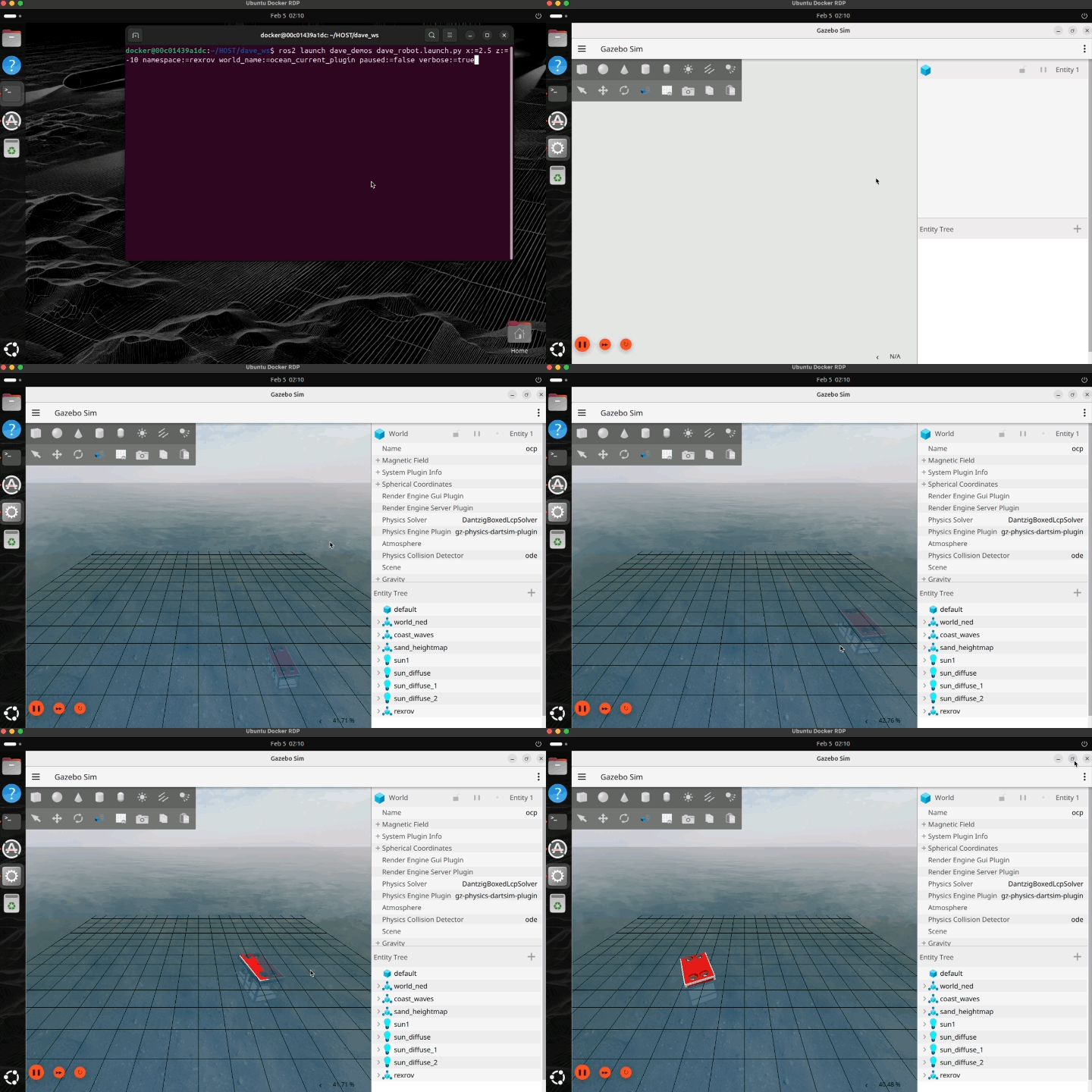
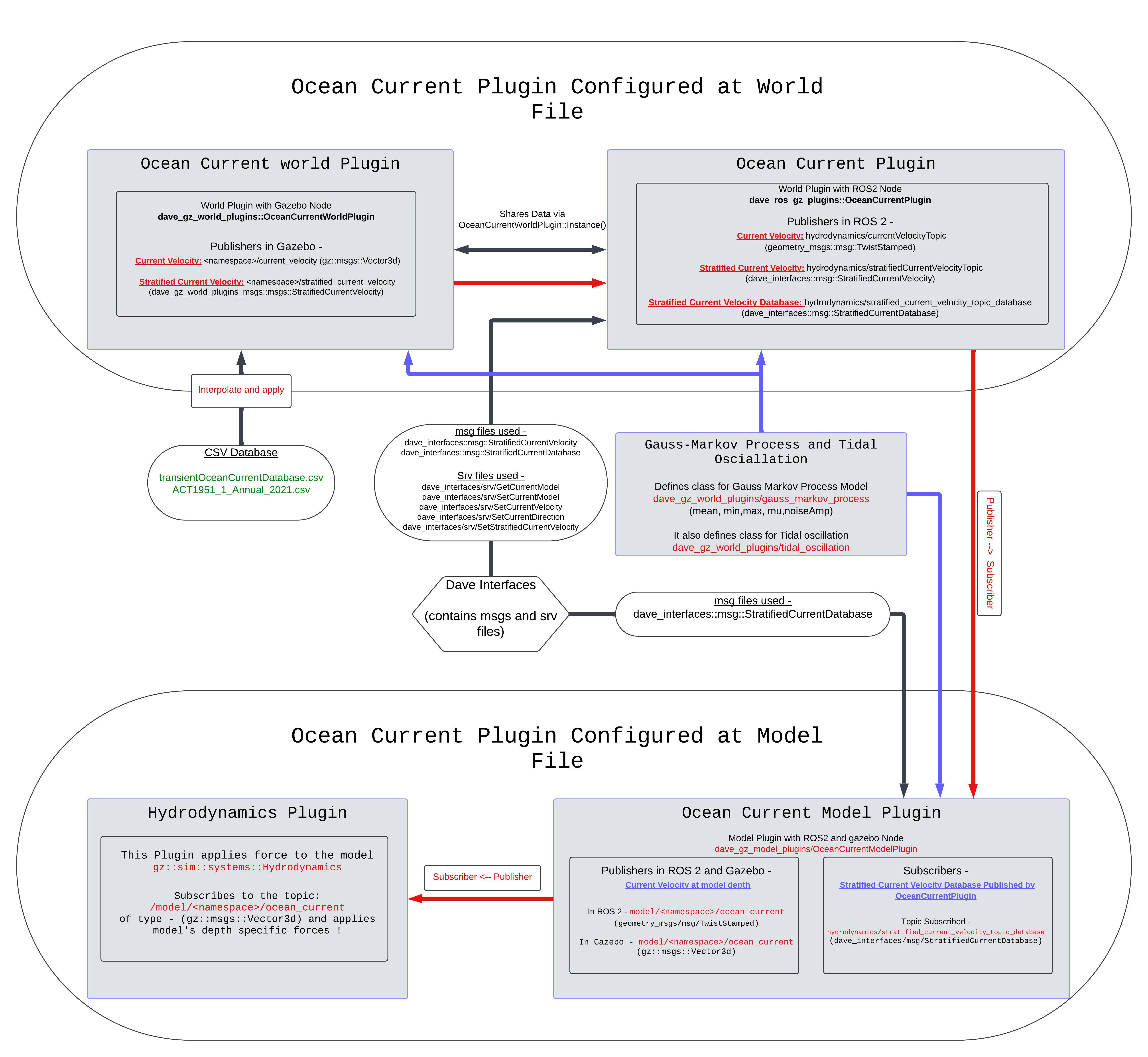
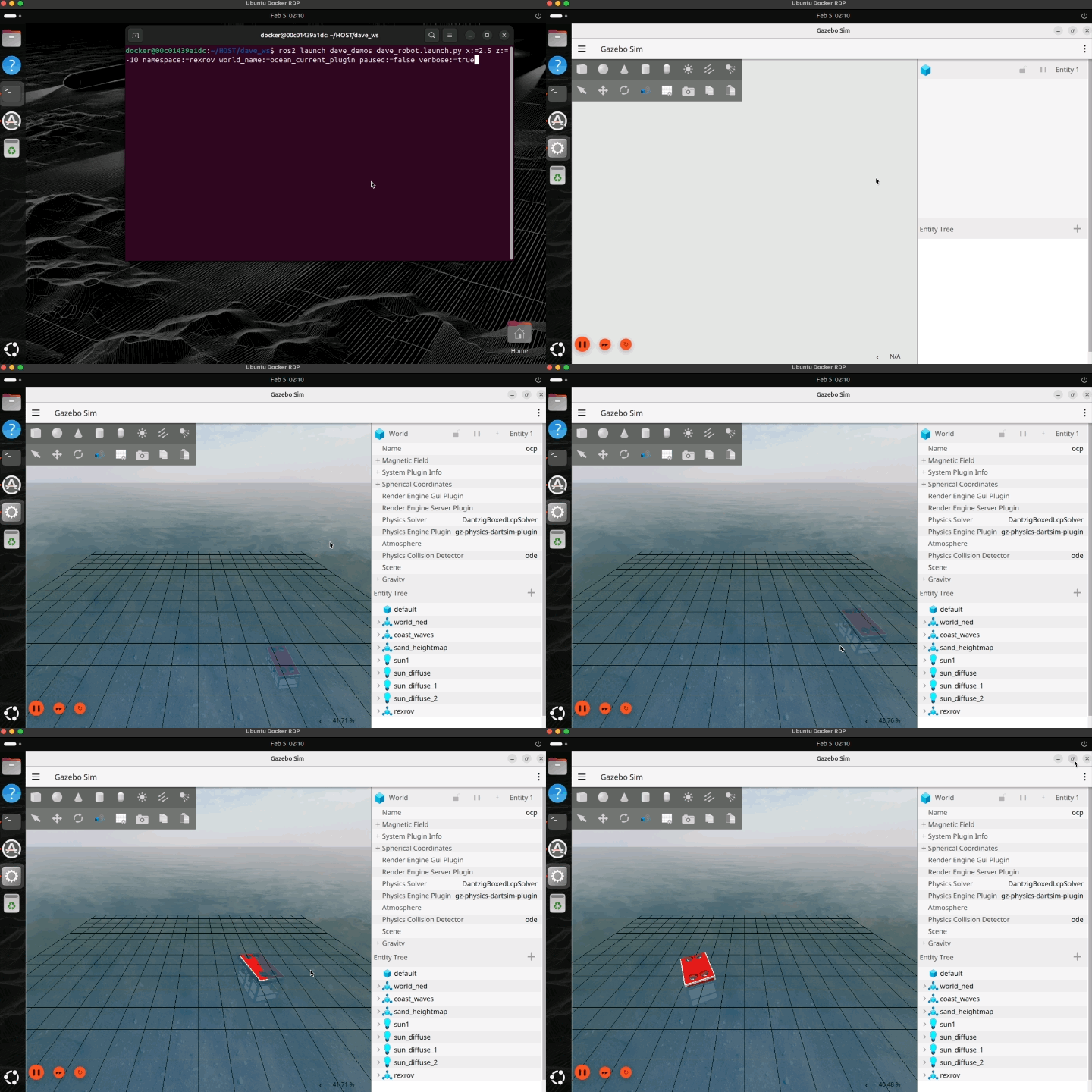
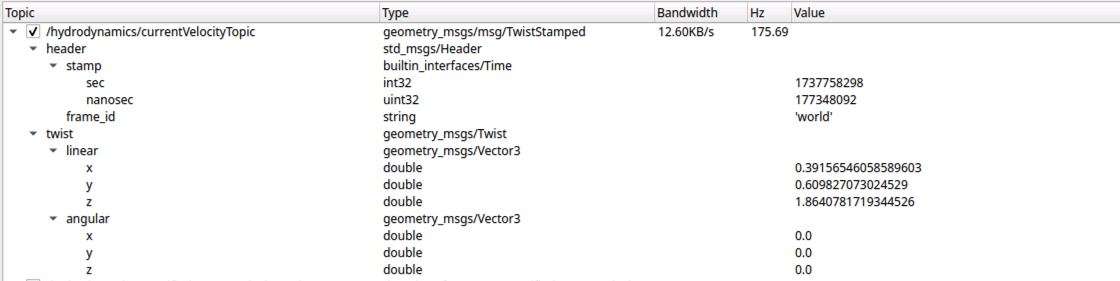
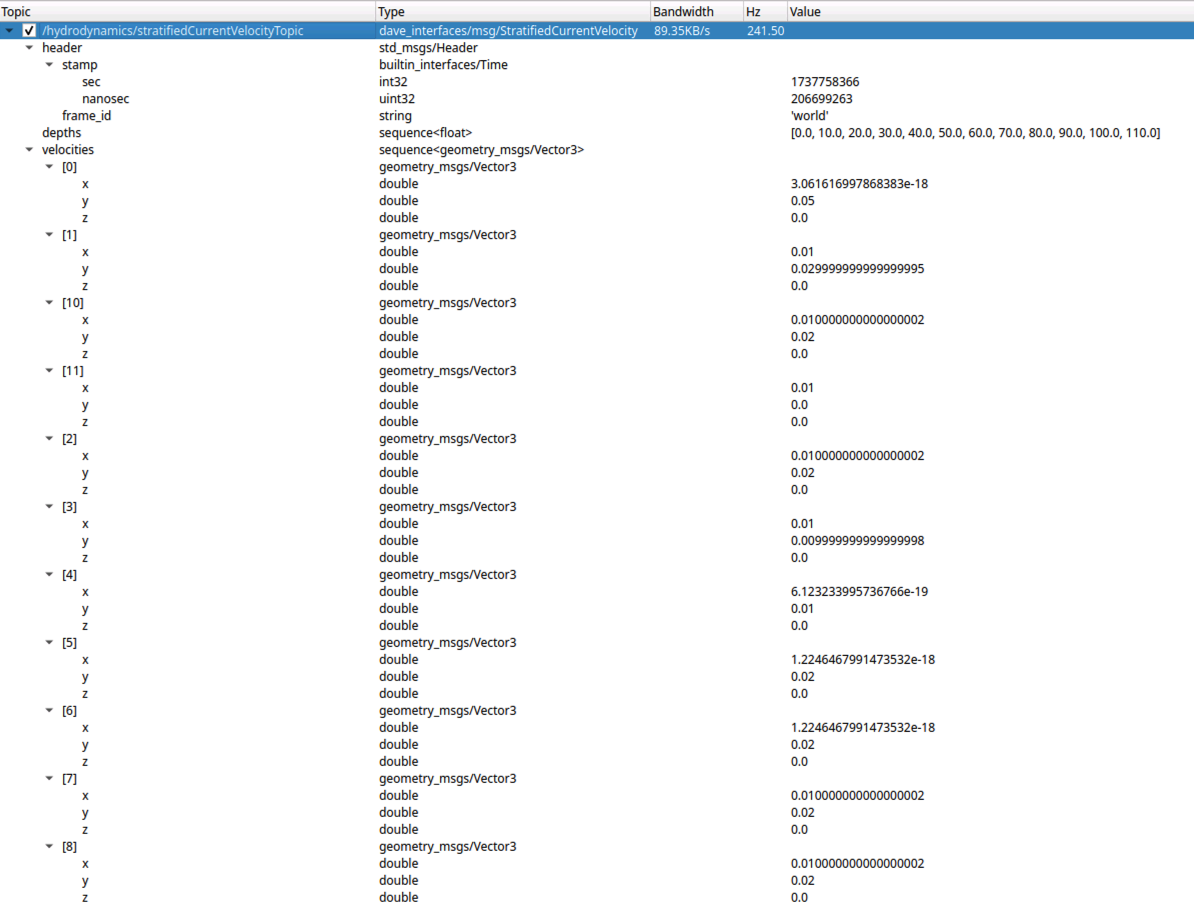
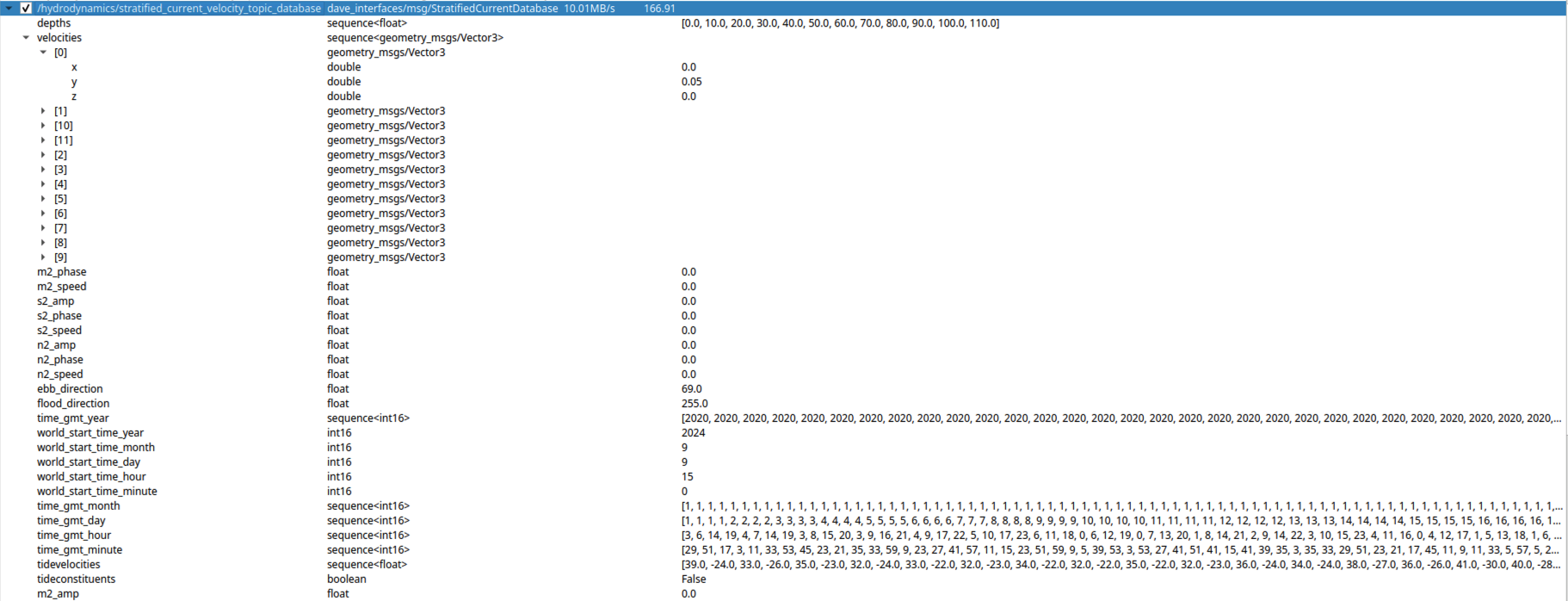
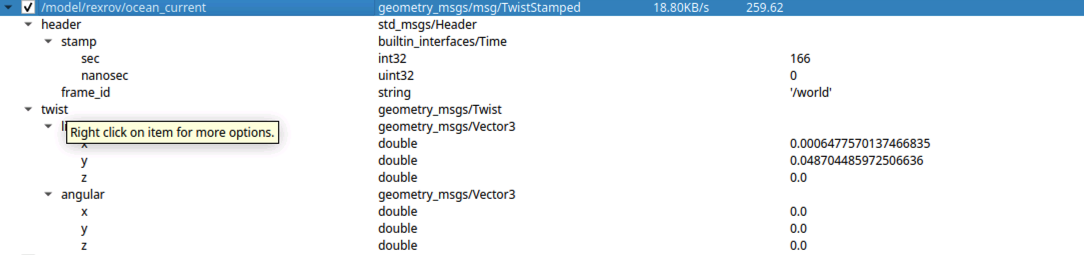


图片和视频来自 POSIM Notion Wiki。DAVE 出处见引用与许可证。执行时使用本页的命令和话题名。